Iced-coffee thumbnail: from exact inputs to an output review
An original SocialThumbPro studio demo showing the complete coffee brief, unedited output, file measurements and a practical revision plan.
ReadA real SocialThumbPro generation with exact inputs, the original download, a screw-detail review and a concrete next revision.
This original editorial demo was generated in SocialThumbPro on 20 October 2026 for a fictional tutorial about stopping a desk fan from rattling. It is not a customer campaign, a tested repair procedure or an audience-performance study. No reference images, personal photos or customer materials were uploaded.
The design decision was to put a teal fan against navy and use a short yellow headline on the left. The screw inset should explain the repair topic without becoming a second main subject. Flames, sparks or danger badges would promise a different video.
We used the Generate screen, left all image uploads empty and kept No text off. The YouTube 16:9 preset was selected. Person Expression stayed at its default, Surprised; the text brief explicitly requested no people. This run used 10 credits.
The video title establishes the topic, Description defines the scene, Thumbnail Text specifies the wording and Custom Instruction specifies placement and exclusions. A repeat run can differ; these fields are requests rather than fixed layout constraints.
Video Title: Stop a desk fan rattling

Description: An instructional thumbnail for a fictional repair tutorial: tightening a loose base screw on a small desk fan. One teal desk fan on the right, one small circular screw-detail inset, dark navy background. Clear visual hierarchy. No people, no logos, no fire, no sparks, no injury, no performance badges.

Thumbnail Text: STOP THE RATTLE

Custom Instruction: Put the exact headline in large warm-yellow letters on the left, with generous margins. Keep the fan recognisable. The screw inset should support the fan, not dominate. Keep the lower-right corner clear. Do not invent extra words, tools, or claims.

Image Size: YouTube 16:9. Person Expression: leave default; no person requested.
The downloaded JPEG is 1376×768 pixels and 565,681 bytes (about 552 KiB). That is approximately 1.792:1, slightly wider than 16:9, and it is not the 1280×720 size shown by the preset. We retained the original file below without a crop, text correction or retouching.
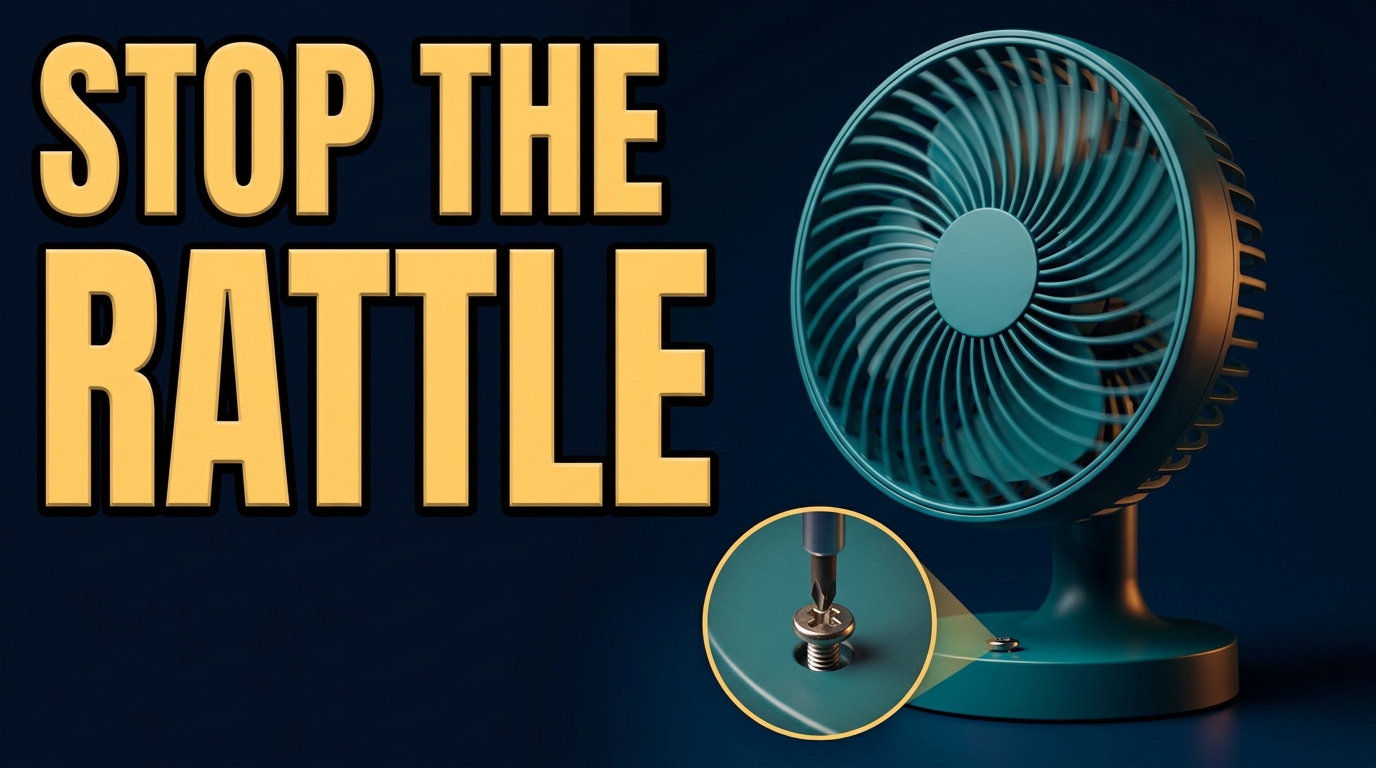
The requested headline is present and spelled correctly. The teal fan occupies the right side, the navy background separates it from the yellow text, and no person, logo or fire was introduced. The screw detail sits near the lower centre and points toward the base.
The headline is very large and sits close to the top and left edges despite the request for generous margins. The inset is a stylised illustration: it is not evidence of the location or construction of a real fan screw. The fan base also occupies the lower-right area we asked to keep clear. An overlay there could hide part of the object.
Our next brief would reduce the headline, add outer margins and move the fan base away from the lower-right overlay area. The following revision has not been generated; it is a proposed response to the visible issues.
Keep the teal fan, navy background and exact words STOP THE RATTLE. Reduce headline size enough to leave a clear margin on every side. Move the fan and its base slightly upward and inward, leaving the lower-right corner empty. Make the screw inset smaller and visually subordinate. Do not add other words or imply this is an accurate repair diagram.
Open the downloaded original in the free Thumbnail Checker and inspect its actual ratio, size and small preview. To crop 1376×768 to exact 16:9 without resizing, the target would be 1360×765: remove 16 pixels of width and 3 of height, choosing the crop position deliberately. That crop will not create generous margins around lettering already close to an edge.
Keep the original and make any crop or typography correction in an editor. Review the final upload preview in the destination platform. A file check does not certify composition, repair accuracy or platform approval.
Written for SocialThumbPro’s studio workflows. Example briefs are instructional, not customer results. About these guides · Report a correction
The first output establishes the topic clearly, but tight headline margins and a busy lower-right corner still need editorial decisions. Save the original, review the actual file and revise the visible weakness.
An original SocialThumbPro studio demo showing the complete coffee brief, unedited output, file measurements and a practical revision plan.
ReadA practical export checklist for widescreen thumbnails, mobile upload limits, small previews, and SocialThumbPro downloads.
ReadA concrete layout exercise for choosing a subject, reducing clutter, and comparing thumbnail concepts without inventing CTR promises.
Read