Desk-fan thumbnail: the actual brief, output and review
A real SocialThumbPro generation with exact inputs, the original download, a screw-detail review and a concrete next revision.
ReadLearn to shorten a headline, isolate it from the subject, and check the actual generated lettering before export.
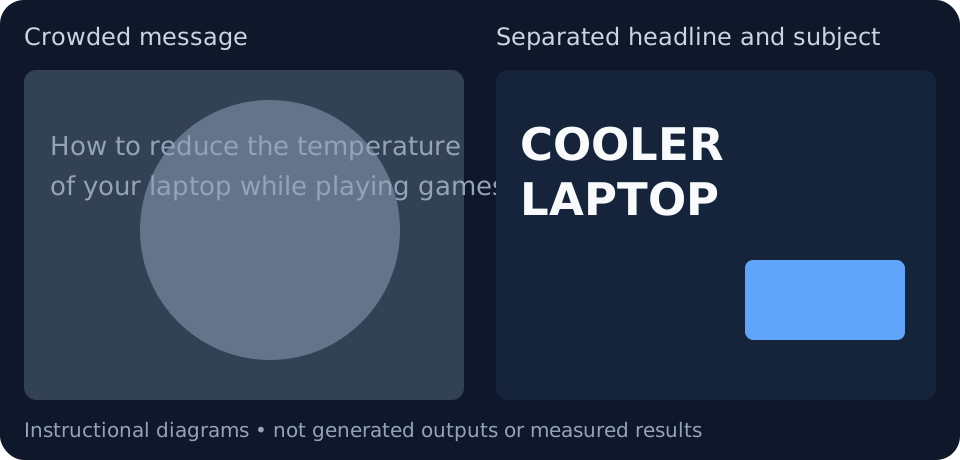
Take a tutorial about fixing an overheated laptop. “How to reduce the temperature of your laptop while playing games” is informative as a title but difficult to fit into a thumbnail. “COOLER LAPTOP” is shorter; “NO MORE HEAT” overstates what the tutorial can deliver.
Write the thumbnail text separately from the video title. SocialThumbPro has a text field for the lettering you want. Short text gives the layout more room, but there is no compulsory word count for every thumbnail.
Ask for a clear text area rather than layering the words over the most detailed part of the image. Keep the subject placement and letter placement in the same instruction so they do not compete.
Thumbnail text: COOLER LAPTOP
Description: Laptop on the right, visible cooling stand underneath. Leave the left third uncluttered for two lines of bold white text on a dark blue background. Keep the laptop vents visible. No extra slogans or invented temperature numbers.
An AI output can misspell a word, invent extra letters, or deform a logo. Read every character in the finished image, including small background signs. If you need exact spelling, replace the lettering in an image editor rather than assuming the next generation will fix it.
Use the free checker to view the exported file at a small size. Inspect it once with the surrounding page in light mode and once in dark mode. Colour alone does not guarantee readable lettering; the background behind each word matters.
Translate the meaning first and review it with a fluent reader. A longer translation may need a different line break or more space than the English version. Do not compress every script into the same box.
Export one language version at a time and inspect punctuation, glyph shaping, and direction. A font that works for Latin text may not support Bengali or Arabic correctly. A successful English render does not validate the translated render.
Written for SocialThumbPro’s studio workflows. Example briefs are instructional, not customer results. About these guides · Report a correction
Shorten the message carefully, reserve a text area, and inspect the final letters at both full and small sizes.
A real SocialThumbPro generation with exact inputs, the original download, a screw-detail review and a concrete next revision.
ReadAn original SocialThumbPro studio demo showing the complete coffee brief, unedited output, file measurements and a practical revision plan.
ReadA practical export checklist for widescreen thumbnails, mobile upload limits, small previews, and SocialThumbPro downloads.
Read